Simulations

Moments lab
Balance a metre rule with water bottles, then turn a tight nut with a spanner. Moment meter, balance graph and a five-round challenge.

Beam reactions
Move a sandbag along a beam on two scales and find the support reactions. Push pin-jointed frames to see why trusses use triangles, then judge which frames are rigid.

Newton's second law
Release a trolley pulled by a hanging mass. A light gate times it; find a = 2s ÷ t² and plot a against F.

Wheel and gears
Pedal a bicycle chain drive, count and time 10 wheel turns, and compare rim and hub speeds. Then choose a pillar-drill speed.

Block and tackle
A Blender-made pulley rig. Count the supporting ropes, pull the spring balance and find MA, VR and efficiency. Three-round efficiency challenge.

Work, energy and power
Carry a sandbag up the stairs against the clock. Then heat water in a cut-away kettle and see where the energy goes.

Magnetism and electromagnetism
Switch on an electromagnet, count the paper clips it holds and find its poles with plotting compasses. Then load a DC motor with a brake and find its efficiency.

Three forces in equilibrium
Drag the pegs of three spring balances. Read forces and angles, and watch the triangle of forces close.

Stiffness and friction
Load a pine strip flat and on edge and read the dial gauge. Tilt a board until a block slips to find μ.
3D models made in Blender (pictures for slides and handouts)
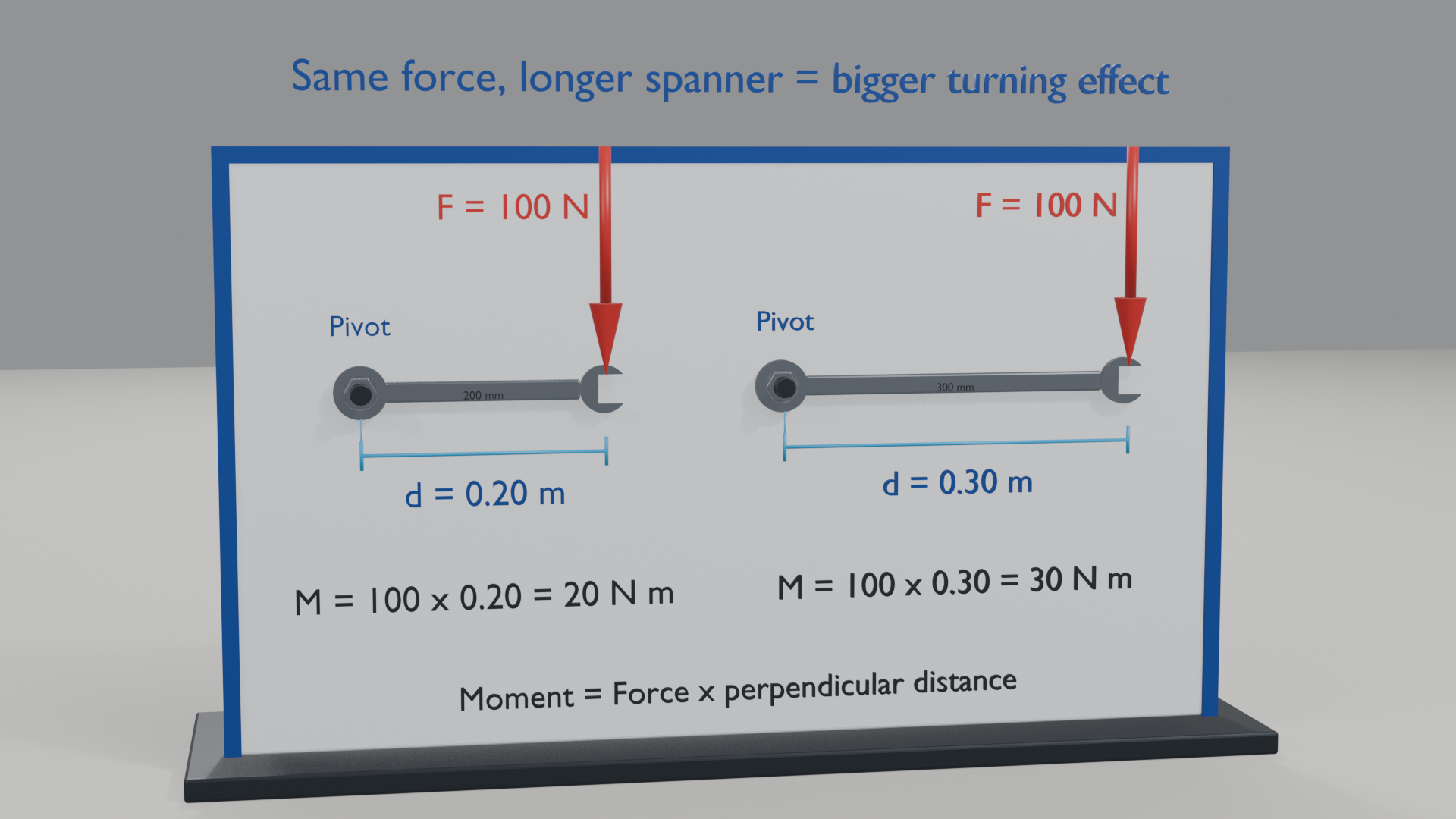
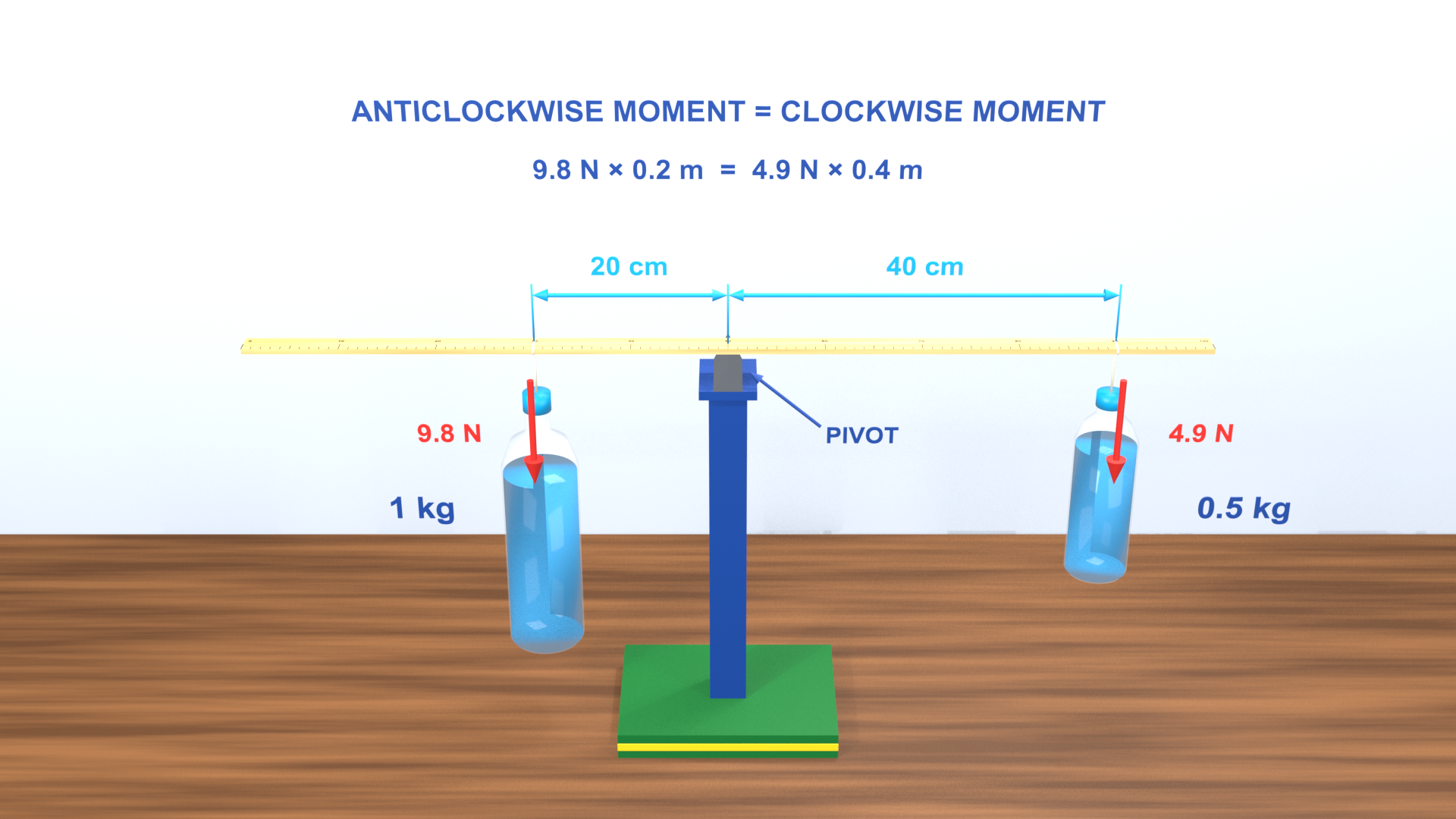
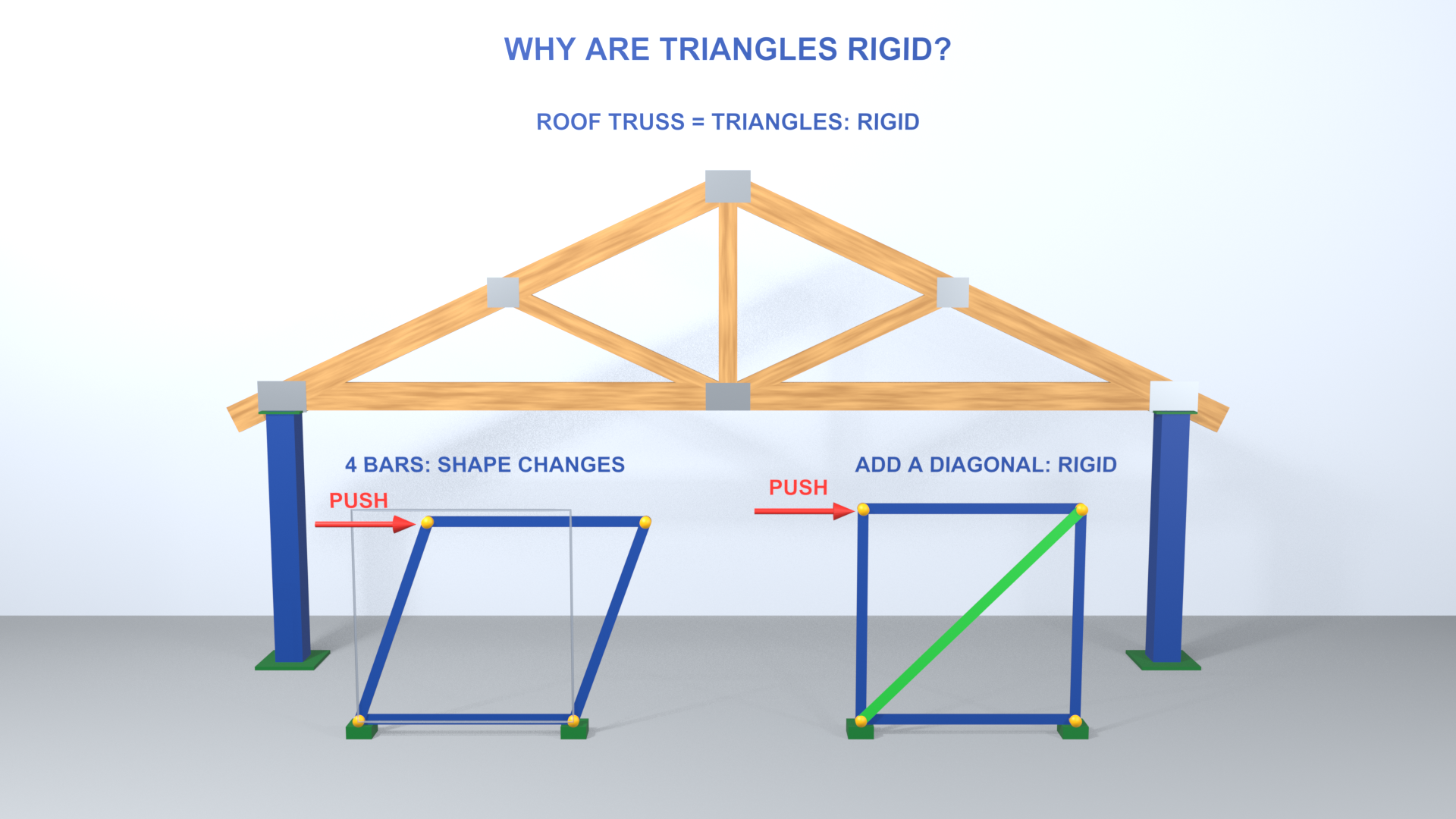
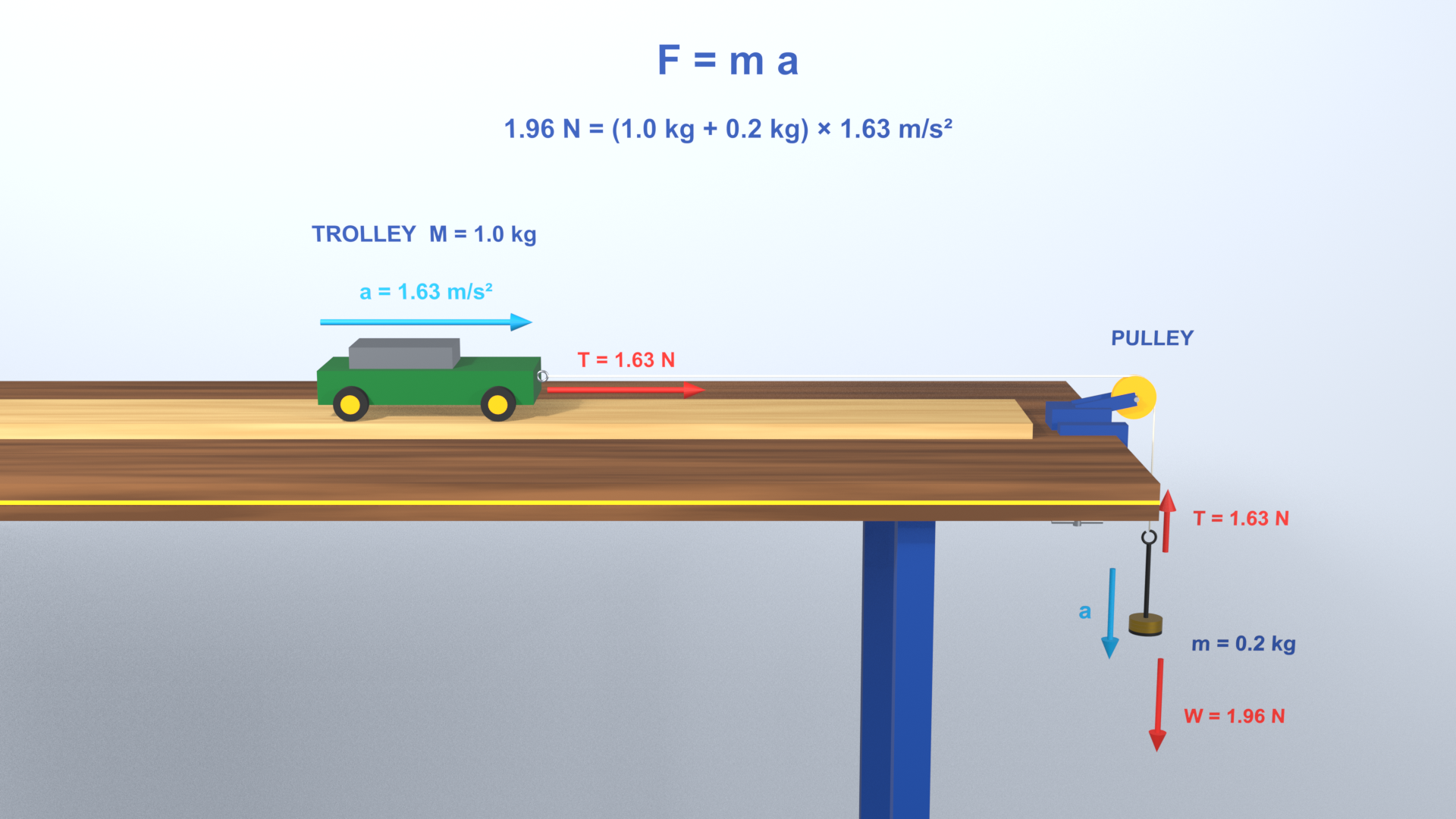
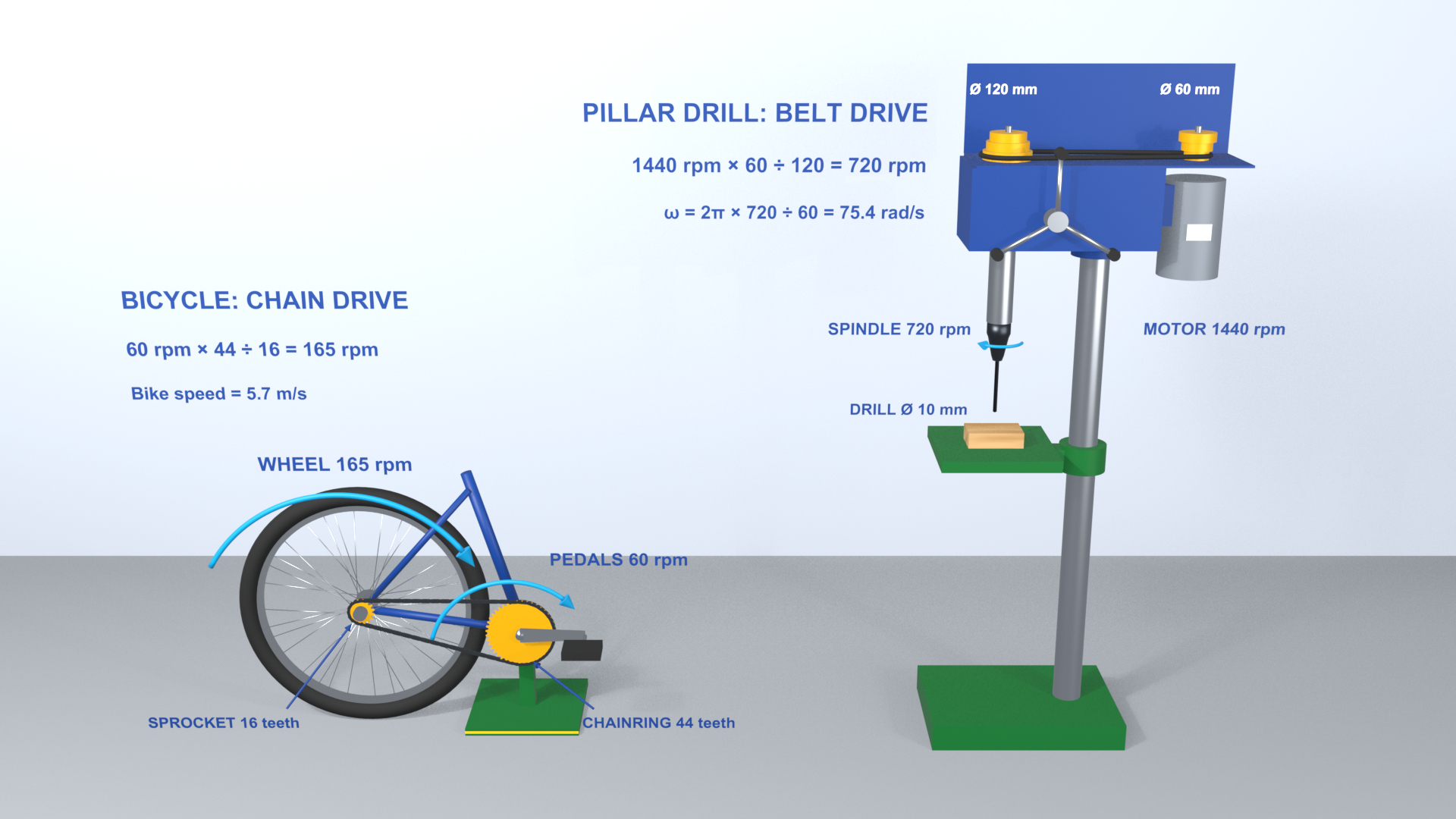
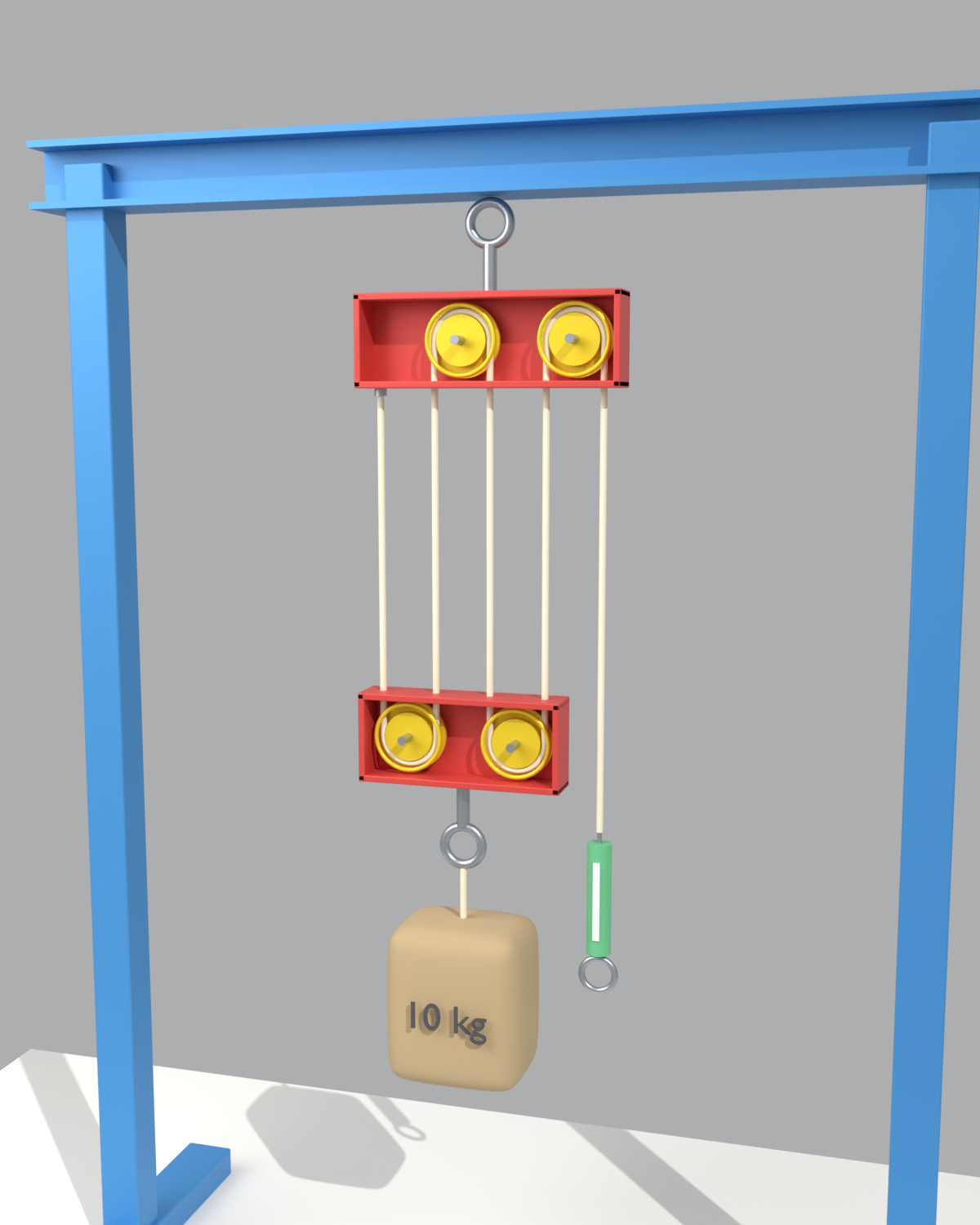
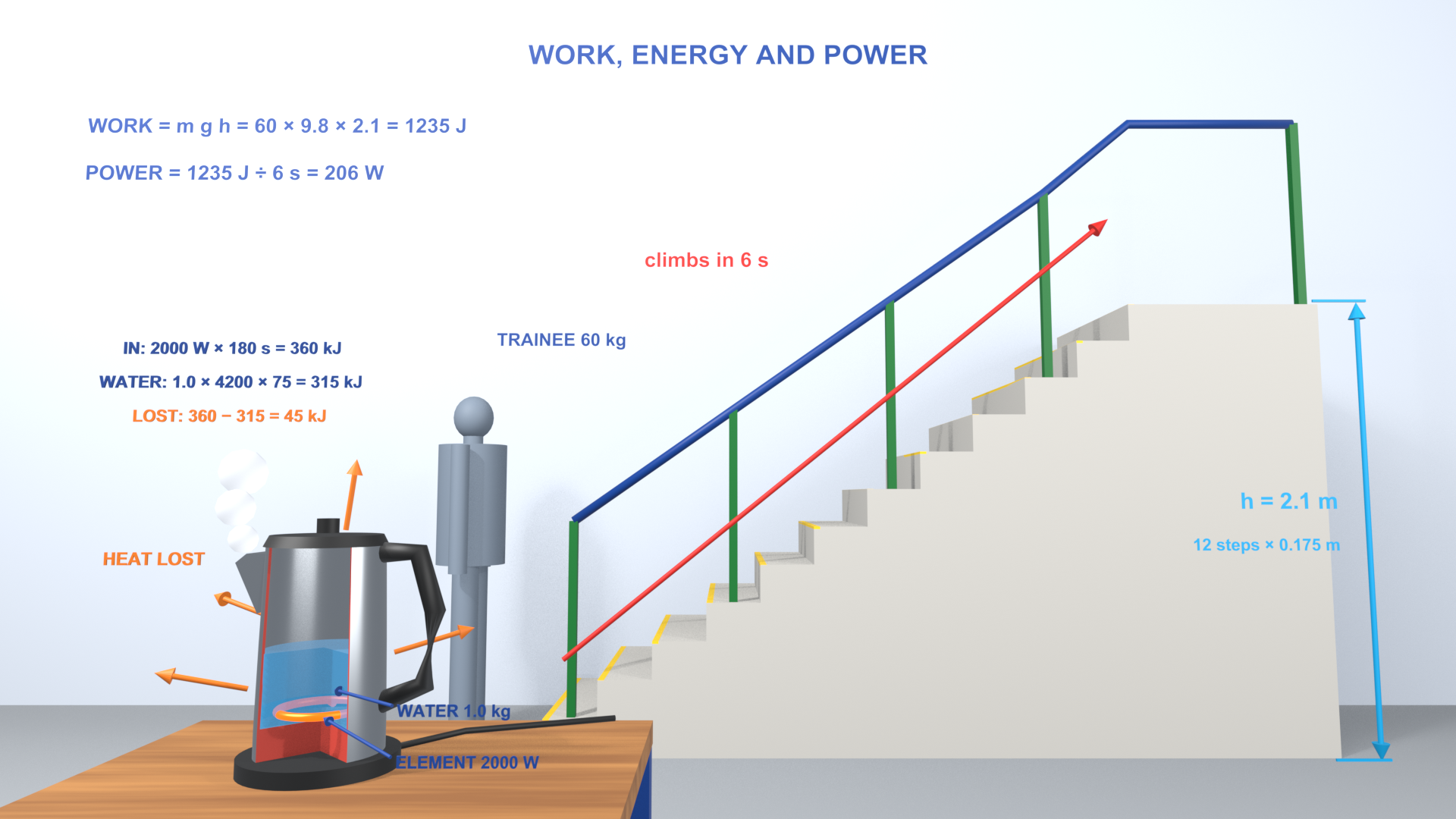
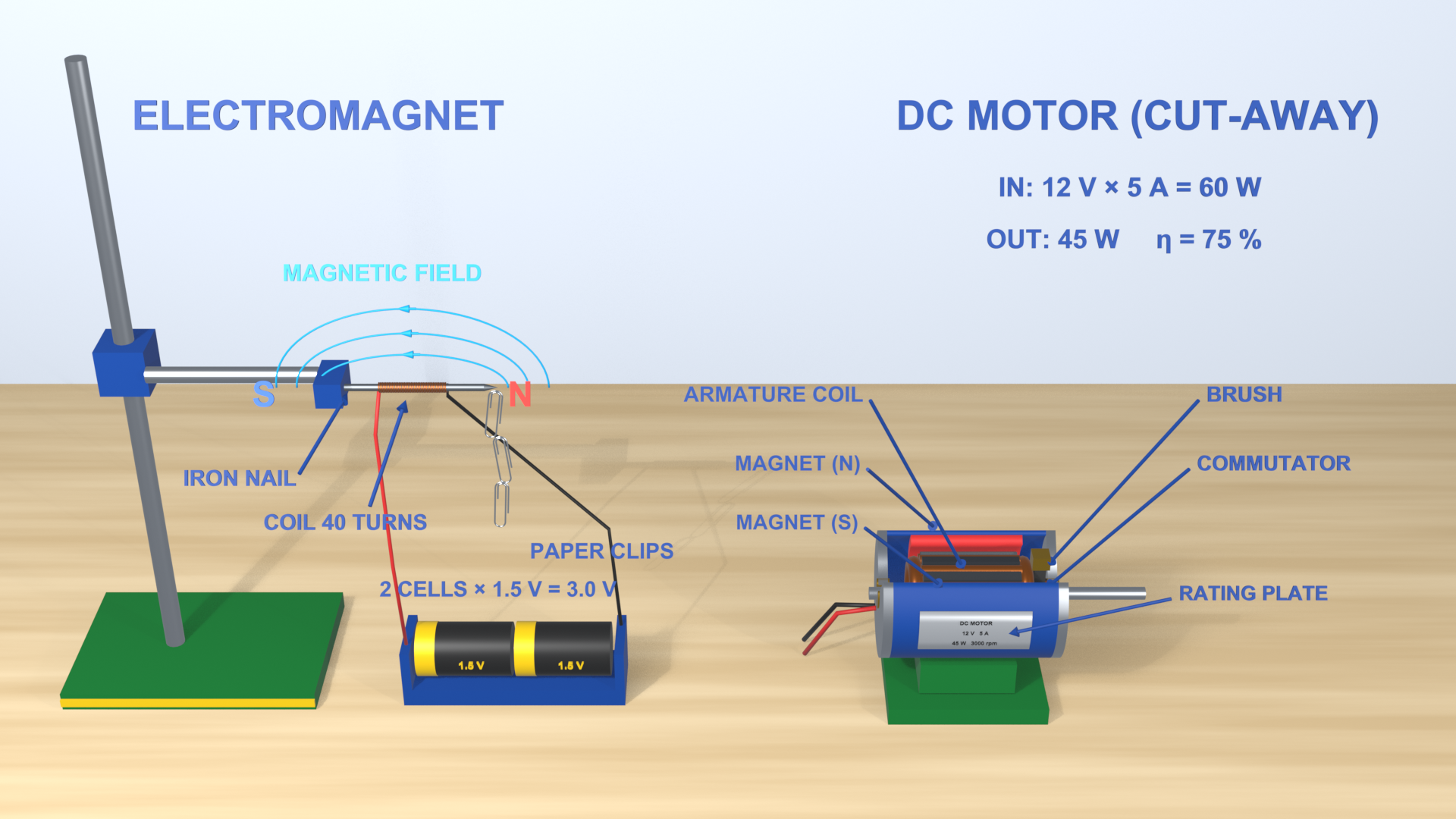
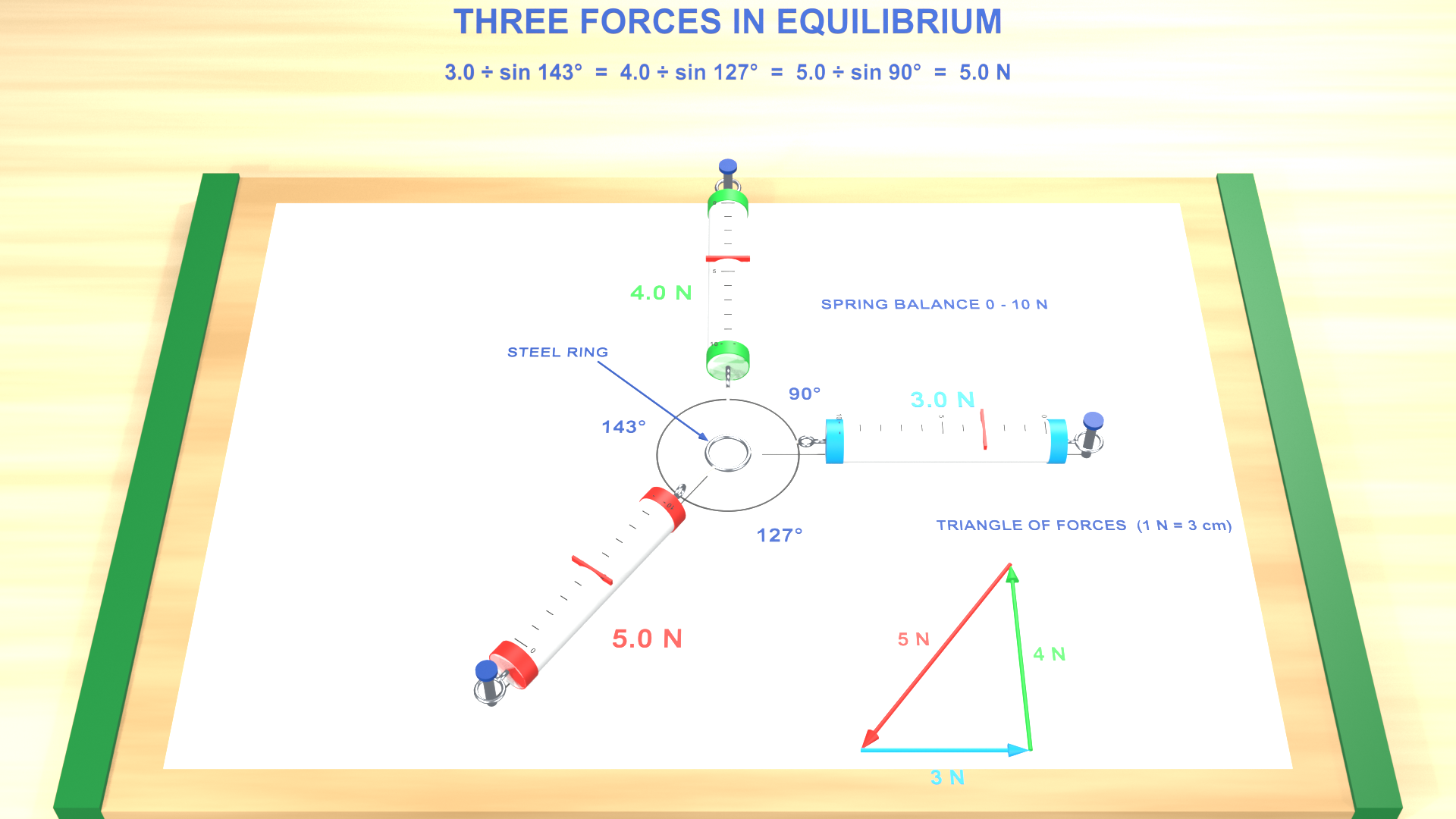
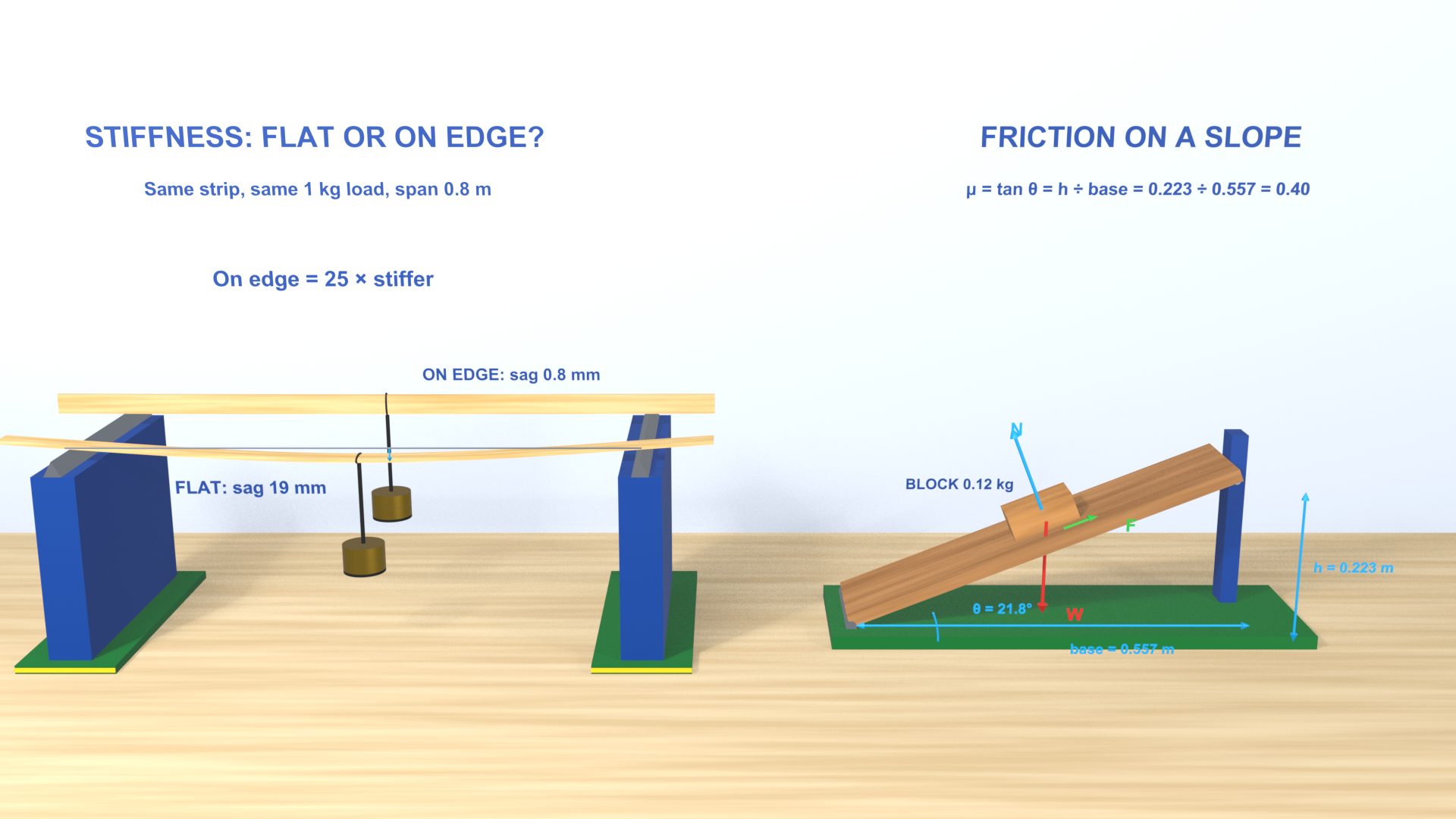
Each model folder in blender also has a .glb for PowerPoint (Insert › 3D Models › This Device) and a README with questions for the class. A picture that does not show here has not been made yet.
How to run a virtual practical
| Step | What to do |
|---|---|
| 1 Predict | Every lab opens with a prediction. Trainees write theirs on paper before anyone touches the model. |
| 2 Experiment | A different trainee operates each time (mouse, smartboard or phone). Others read values aloud with units. Record at least three readings, then Export or Print the table. |
| 3 Explain | Calculate with the seven steps on the results sheet. Open the worked solution only to check. Answer the “Check yourself” question. |
| 4 Challenge | Finish with the challenge rounds (calculate, then test). A hint round scores no point. |
| Record | Stamp the results sheet V (virtual) and do the real practical before the semester practical examination. |
Use Full view (or press F) for whole-class demonstrations. Runs in Microsoft Edge or Google Chrome, on a laptop or a phone. Built with three.js (MIT licence) and Blender.